Emergency: 911 | Non-Emergency: 303-914-6394
Email (non-emergency): campuspolice@rrcc.edu
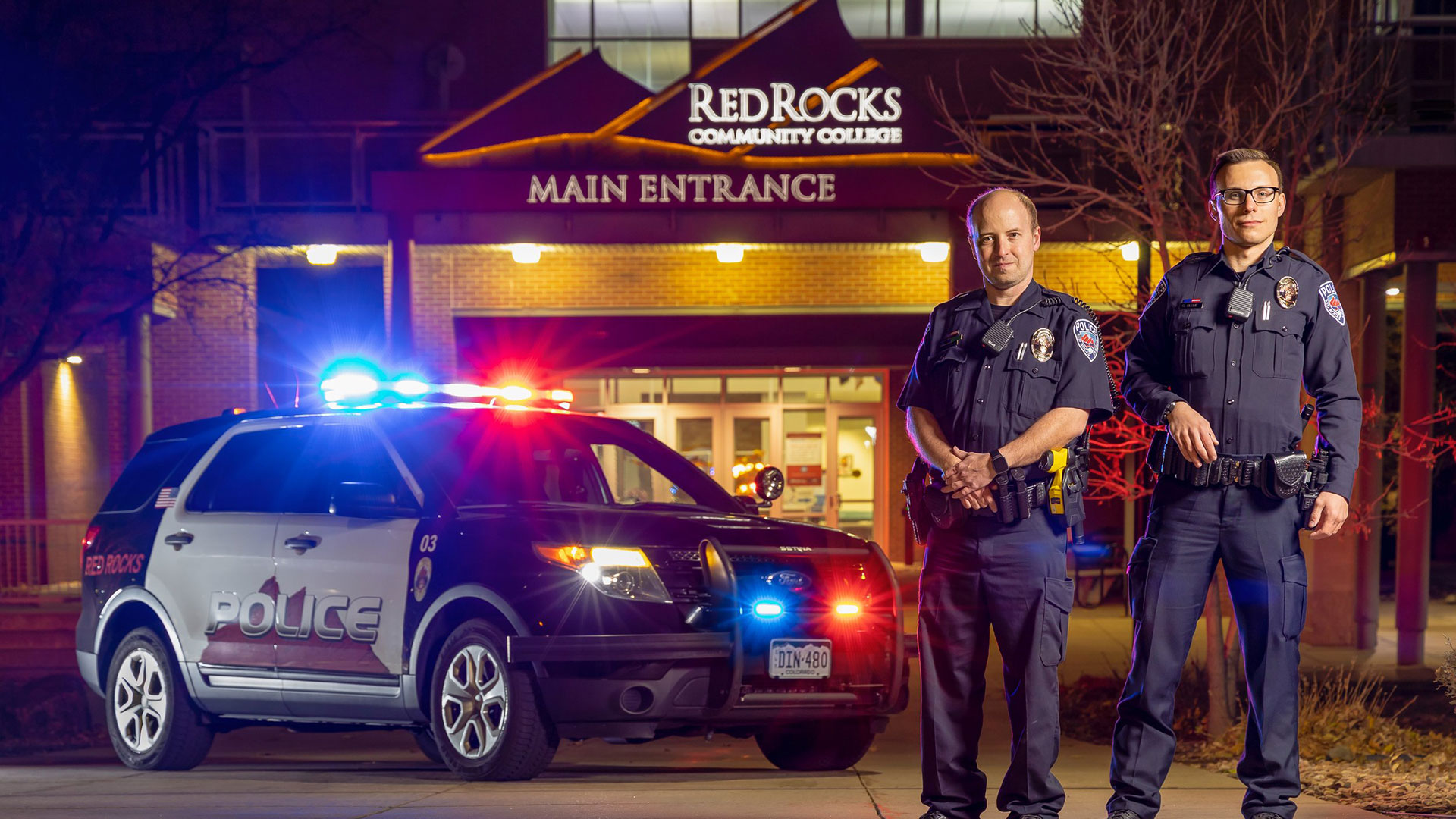
The Red Rocks Community College Police Department is a full-service Police Department and is responsible for providing law enforcement services and ensuring public safety throughout both the Lakewood and Arvada Campuses. They take great pride in ensuring all RRCC students, faculty, staff and visitors have a safe and secure campus, free of crime and safety hazards.
The Red Rocks Community College Police Department strives to build strong and effective community partnerships. Those partnerships provide the opportunity for the RRCC Police Department to work collaboratively to reduce crime and enhance the quality of life and education for those who attend or visit Red Rocks Community College.
The College Campus Police Department includes trained personnel who are responsible for monitoring safety and security on campus. The Red Rocks Community College Police Department is a sworn law enforcement agency.
- Enforce State and local criminal statutes
- Crime prevention
- Traffic enforcement
- Criminal Investigations (misdemeanor and felony)
- Civil disputes
- Medical emergencies
- Parking enforcement
- Foot patrol
- Community Policing
- Behavioral Intervention Team (BIT)
- Critical incidents
- Crisis Intervention Team (CIT)
- Assists to other agencies
Mission:
The Red Rocks Community College Police Department’s dedication and commitment to excellence in public safety creates a safe learning environment.
Vision:
The Red Rocks Community College Police Department will provide a safe and secure campus free of crime and safety hazards.
Values:
Safety, Communication, Customer Service, Accountability, Quality of Life.
Our police department offers a variety of services to the college community. Below is a complete list of services that are offered:
Police Services
- Motor vehicle assistance
- Lost and found - Learn more about Lost & Found Policies and Procedures
- Vehicle/classroom escorts
- Unlocks and locking
- Ride-a-longs
- Community service
- Access passes
- Parking passes
EMERGENCY OPERATIONS PLAN Employee Responsibilities
Active Shooter Protocol
Please watch with caution. The videos are realistic and are an enactment of an active shooter incident. Viewers may find the content upsetting.
- RUN - HIDE - FIGHT || Active Shooter Preparedness Training for High Schools
- Shooter on Campus: Know You Can Survive
RUN: Evacuate the Building if Possible
- If it is safe and there is enough distance between you and the gunfire or armed person move in the direction away from the gunfire ot armed person. Move as far away from the building as possible until you are in a secure and safe place.
- Leave your belongings behind.
- Keep your empty hands visible to law enforcement.
- Take others with you, but do not stay behind because others will not go.
- Call 911 when it is safe to do so. Do not assume that someone else has reported the incident. The information that you are able to provide law enforcement may be critical, e.g. number of shooters, physical description and identification, number and type(s) of weapons, and location of the shooter.
HIDE: Hide silently in a safe place
- If you are unable to leave the building because the shooter is close, find an area to hide that is out of view of the armed person.
- Choose a hiding place with thicker walls, fewer windows, and a door that locks if possible.
- Once inside, lock doors and windows and barricade the door with furniture, if possible.
- Turn off lights
- Silence phones and turn off other electronics.
- Do not open the door for ANYONE!
- If you are outdoors and cannot RUN safely, find a place to hide that will provide protection from gunfire such as a brick wall, large trees or buildings.
- Remain in place until you receive an “all clear” signal from AppArmor or for an Officer to come to your location and release you.
FIGHT: Take action against the shooter
- As a last resort, fight. If you cannot evacuate or hide safely and only when your life is in imminent danger, take action.
- Attempt to incapacitate or disrupt the actions of the shooter.
- Act with physical aggression toward the shooter.
- Use items in your area such as fire extinguishers, chairs, books, or other heavy objects.
- Throw items at the shooter if possible.
- Call 911 when it is safe to do so.
Immediately after an incident:
- Wait for Local Law Enforcement officers to assist you out of the building, if inside.
- When law enforcement arrives, students and employees must display empty hands with open palms.
REMEMBER:
- Gunfire may sound artificial. Assume that any popping sound is gunfire.
- If there are two or more persons in the same place when a violent incident begins, you should spread out in the room to avoid offering the aggressor an easy target.
- Be mindful that violent attacks can involve any type of weapon, not just a gun. Knives, blunt objects, physical force or explosives can be just as deadly as a gun. The suggested actions provided here are applicable in any violent encounter.
- Plan ahead: Visualize possible escape routes, including physically accessible routes for students and staff with disabilities and others with limited mobility.
Active Shooter Safety Resources
Please click the link below to review the new Standard Response Protocol video
https://www.youtube.com/watch?v=hMV8f0-j7AQ

See the poster by clicking this link
Lockdown Drills
As part of the Clery Act requirements Campus Police must conduct at least one or more tests, drills, or exercises in order to assess and evaluate emergency plans and capabilities. In order to comply with this requirement Campus Police conducts a lockdown drill each semester (Fall/Spring) in order to help students, faculty, and staff prepare for threats or hazards that are inside the building.
During drills our PA system, informacast, and emergency alerts systems are also tested. The Chief of Police sends out an email notification the week before a drill in order to help prepare the campus community. The exact date and time of the drill is not disclosed. Instructions for students as well as faculty/staff are given in the email notification and it is highly critical that the instructions be followed. Remember!
The more we practice the better prepared we will be if a real incident occurs. Please take some time to watch the video in the link below. This provides a good example of what a successful lockdown drill looks like.
Please stop by Campus Police for access to current forms or email us at CampusPolice@rrcc.edu.
Red Rocks Community College is committed to assisting all members of the RRCC community in providing for their own safety and security.
The annual security report document is available to view or download in PDF format
If you would like to receive the Annual Security Report that contains this information, you can stop by the Red Rocks Community College Police Department at 13300 W. 6th Ave. Lakewood, CO. 80228, or you can request that a copy be mailed to you by calling 303-914-6394.
The website and report contain information regarding campus security and personal safety including topics such as: crime prevention, fire safety, college police law enforcement authority, crime reporting policies, disciplinary procedures, and other matters of importance related to security and safety on campus. They also contain information about crime statistics for the three previous calendar years concerning reported crimes that occurred on campus, in certain off-campus buildings or property owned or controlled by Red Rocks Community College, and on public property within or immediately adjacent to and accessible from the campus.
This information is required by law and is provided by the Red Rocks Community College Police Department.
Security Camera Update
Frequently Asked Questions (FAQ)
August 12, 2026
Quick Facts
- Security camera footage is stored on RRCC's on-premises servers, not in the cloud.
- Recorded footage is retained for 30 days and then automatically deleted unless needed for an active investigation, legal hold, or authorized purpose.
- Access to footage is limited to the campus police department, and the security camera vendor is contractually prohibited from accessing RRCC footage or servers.
- AI features are not enabled because RRCC has not licensed the software needed to use them.
- RRCC does not proactively share security camera footage with federal, state, or local agencies. Requests for footage require appropriate legal authority and review.
How does Red Rocks Community College use security cameras?
Red Rocks Community College has long used security cameras as one of the multiple
strategies to protect the entire community. Specifically, security cameras support campus safety, security, investigations, and operational needs. Cameras help deter crime, monitor college property, assist in the response to, and investigation of incidents, support law enforcement, and emergency response activities, and provide video evidence when incidents occur.
The camera system is not continuously monitored by personnel. Cameras are primarily used to record and preserve footage for later review when needed.
Who Can See the Footage and How Is It Protected?
Where is the security camera footage stored?
Recorded footage is stored on the college's on-premises servers. The camera footage is not uploaded to the cloud or shared with third parties absent a valid legal request for the information.
How long is the security camera footage retained?
Recorded footage is stored on the college's on-premises servers for 30 days. After the retention period expires, footage is automatically deleted unless it has been preserved for an active investigation, evidentiary purposes, litigation hold, or other authorized operational or legal purpose.
Could the manufacturer of security cameras or other third parties access the footage without RRCC's permission?
RRCC has taken every practical step to ensure that no third parties can access footage from security cameras without authorization. Mitigation measures include:
- The security footage is being housed on our local servers and not in the cloud.
- The servers are in secured rooms.
- Permissions to access footage on the servers are limited to the campus police department.
- Per the contract terms and conditions with Motorola, the camera manufacturer may not access our footage or servers.
Does RRCC share security camera footage with third parties or other state, federal or local agencies?
We have heard concerns about whether camera footage could be shared with immigration enforcement or other outside agencies. RRCC does not proactively share security camera footage with any federal, state, or local agency. Absent a valid subpoena, FERPA release, or open records request, every request gets case-by-case legal review, and disclosure is a rare exception. RRCC also does not share security camera footage with any third party.
Are there AI features on the cameras and are the AI features currently being used?
Many modern security cameras include AI-capable features as part of the standard hardware platform, including the equipment purchased by RRCC. However, RRCC has elected to not license the software necessary to utilize the AI capabilities - including facial recognition, automated tracking, weapon detection, and behavioral analytics. AI features are not currently enabled on the college's camera system.
What would be required to enable the AI features?
Enabling AI functions would require additional software licensing and configuration through the camera system vendor.
Who would approve the use of AI features with security cameras in the future?
Any decision to enable such features would be subject to institutional review, applicable laws, and policies, vetting by the Chief of the Campus Police Department and approval by the College President.
Your Privacy
What are reasonable privacy expectations when it comes to the use of security cameras?
Security cameras are generally considered appropriate in public or common areas where individuals do not have a reasonable expectation of privacy, such as:
- Parking lots
- Building entrances and exits
- Transactional spaces such as the cashier's office, cafeteria, IT helpdesk, etc.
- Hallways, lobbies, and front desk spaces
- Exterior Public Spaces
- Interior common or publicly available spaces
Security cameras are not installed in the following areas:
- Restrooms
- Locker Rooms/ Changing Areas
- Individual Offices
- Medical Offices/Counseling Centers
- Classrooms
How are security cameras used for surveillance?
The security cameras are used by campus police personnel when they become aware of an incident, either in real time or after the fact. As a general rule, security cameras are used for passive surveillance.
Security, Compliance, and Legal Requirements
Why were new security cameras purchased?
There are three reasons the college is updating security cameras.
First, the previous camera system had reached the end of its supported lifecycle. As technology ages, manufacturers eventually discontinue software updates, security patches, and technical support for older hardware and software platforms.
Second, the firmware for the legacy security cameras was vulnerable to cyber-attacks. Upgrading the camera system helps ensure continued compatibility with the college's technology infrastructure and allows the system to receive current security updates and manufacturer support. Maintaining supported technology is a vital component of the college's overall cybersecurity and risk management practices.
Third, the legacy cameras were not providing sufficient physical coverage to meet the security, safety, and investigative needs of the campus.
What were the cybersecurity considerations in replacing security cameras?
Upgrading the camera system helps ensure continued compatibility with the college's technology infrastructure and allows the system to receive current security updates and manufacturer support. Maintaining supported technology is a vital component of the college's overall cybersecurity and risk management practices.
What laws and regulations govern security camera use at higher education institutions?
There is no single federal law that comprehensively regulates security camera use at colleges and universities. Institutions must comply with applicable federal and state laws that govern protection of information including privacy protections and constitutional requirements where applicable.
The Colorado Community College System Procedure SP19-50 expressly permits "video recording and photographing of System buildings, individuals, and events taking place in areas open to the public, ... provided it does not interfere with official System business or endanger the safety of others."
Some examples of legal and policy implications that impact how security camera footage is shared include:
- Student Privacy: In some circumstances, video footage may be considered personally identifiable information or an education record under the Family Educational Rights and Privacy Act (FERPA) if it is directly related to a student and maintained by the institution. When either circumstance applies, access to and disclosure of the footage may only be provided in accordance with federal law, such as with permission of the student or pursuant to a subpoena or court order.
- Employee and Academic Considerations: The use of cameras in classrooms and workspaces may be subject to additional legal, contractual, policy, or academic considerations. Any use of cameras in instructional environments must comply with applicable laws, institutional policies, and collective
bargaining agreements, if applicable. - Public Records Requests: Surveillance footage may be requested by the public under the Colorado Open Records Act and/or the Colorado Criminal Justice Records Act.
Requests for footage are reviewed on a case-by-case basis. The release of footage may be subject to applicable legal restrictions, privacy considerations, investigative concerns, and required redactions. Depending on the circumstances, footage may be released in full, released in a redacted format, or withheld as permitted by law.
For example, footage may be exempt from public disclosure if it reveals "specialized details of security arrangements", library lending information, FERPA protected student education records, HIPAA protected personally identifiable information or is part of an active or pending law enforcement investigation.
Project Logistics
Are both the Lakewood and Arvada campuses included in the security camera upgrade project?
Yes. Both the Lakewood and Arvada Campuses are included in the project and are receiving upgraded cameras to replace the existing end-of-life camera system.
What are the phases of the college's security camera project?
The camera project is being implemented in three phases:
- Phase 1: Replace existing end-of-life cameras at both Lakewood and Arvada Campuses. This phase also includes the installation of a limited number of additional cameras to address identified coverage gaps. Phase 1 was completed over the summer of 2026.
- Phase 2: Evaluate and address any remaining coverage gaps on either campus.
- Phase 3: Expand camera coverage in parking lots and increase exterior camera coverage at both the Lakewood and Arvada Campuses.
Are the security cameras connected to the college's Wi-Fi?
No. The security camera system in the buildings is hardwired and do not rely on Wi-Fi for connectivity.
What brand of security cameras is the college installing?
The college has historically utilized cameras manufactured by Avigilon. The current security camera upgrade project continues with the use of Avigilon camera systems, a Motorola Solutions company. Motorola Solutions is a state partner. Keeping the same platform for our security cameras saved time, money, and effort.
Is the College comfortable with Avigilon or Motorola as vendor for this project?
Yes. Avigilon was our prior security camera vendor and is a state vendor that has been used without incident by our fellow CCCS schools and other state agencies. Furthermore, Avigilon does not have access to the footage produced by the security cameras - the footage is stored on RRCC's local servers, access is limited to Campus Police, Avigilon is contractually prohibited from accessing RRCC footage or servers, and RRCC does not proactively share footage with outside agencies.
How did the college pay for security cameras?
The college is using reserves to pay for security cameras.
Timing of Communications
The camera project was a replacement of an existing security camera system that had reached the end of its supported life cycle and presented cybersecurity and operational concerns. Planning started in 2023 as part of the college's facilities, technology, and public safety processes. As installation began in 2025, additional student and community questions emerged, and the college spoke to various constituency groups and developed this comprehensive FAQ to provide broader information about the project and address community concerns.